

Print shops looking for AI to help with custom orders need more than a generic chatbot. WelaOS gives the shop an AI-assisted LINE workflow that turns a customer’s artwork and job details into a structured order, calculated estimate and catalog-configured deposit request. This use case follows one custom A4 leaflet order through to collection.
1. A real LINE conversation becomes a custom print order
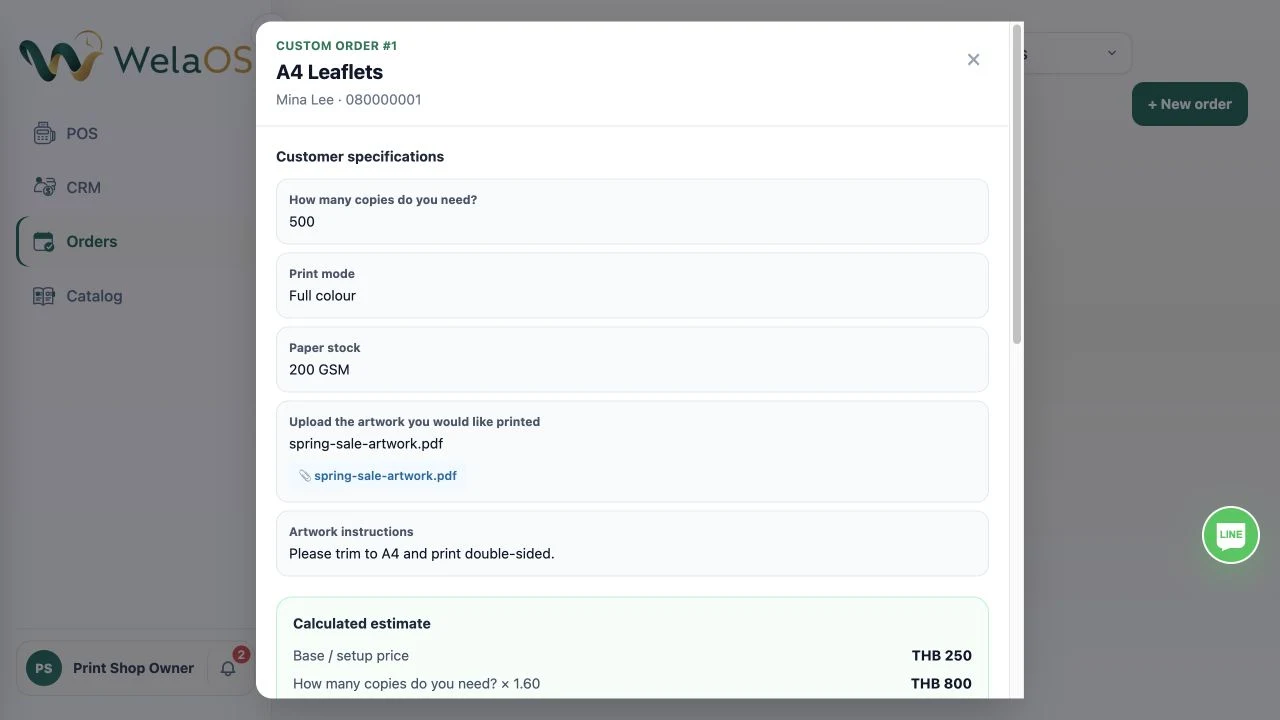
Instead of forcing a made-to-order job into an appointment, the print shop starts with a catalog item and asks only the questions that matter for that item. For A4 leaflets, that means quantity, colour, paper stock, artwork upload and finishing instructions.
The customer answers in the chat they already use. Once the estimate is reviewed and the order is submitted, the catalog’s configured deposit request is the final customer-facing step.
Example LINE conversation
- Customer
I need A4 leaflets printed. - WelaOS in LINE
Great. How many copies would you like? - Customer
500. - WelaOS in LINE
Would you like full colour or black-and-white? - Customer
Full colour. - WelaOS in LINE
Which paper stock would you like? - Customer
200 GSM.

- WelaOS in LINE
Please upload your artwork. You can add any print instructions afterwards. - Customer
spring-sale-artwork.pdf
Please trim to A4 and print double-sided. - WelaOS in LINE
Your estimated price for 500 full-colour A4 leaflets on 200 GSM paper is ฿1,800. Submit this order? - Customer
Submit order. - WelaOS in LINE
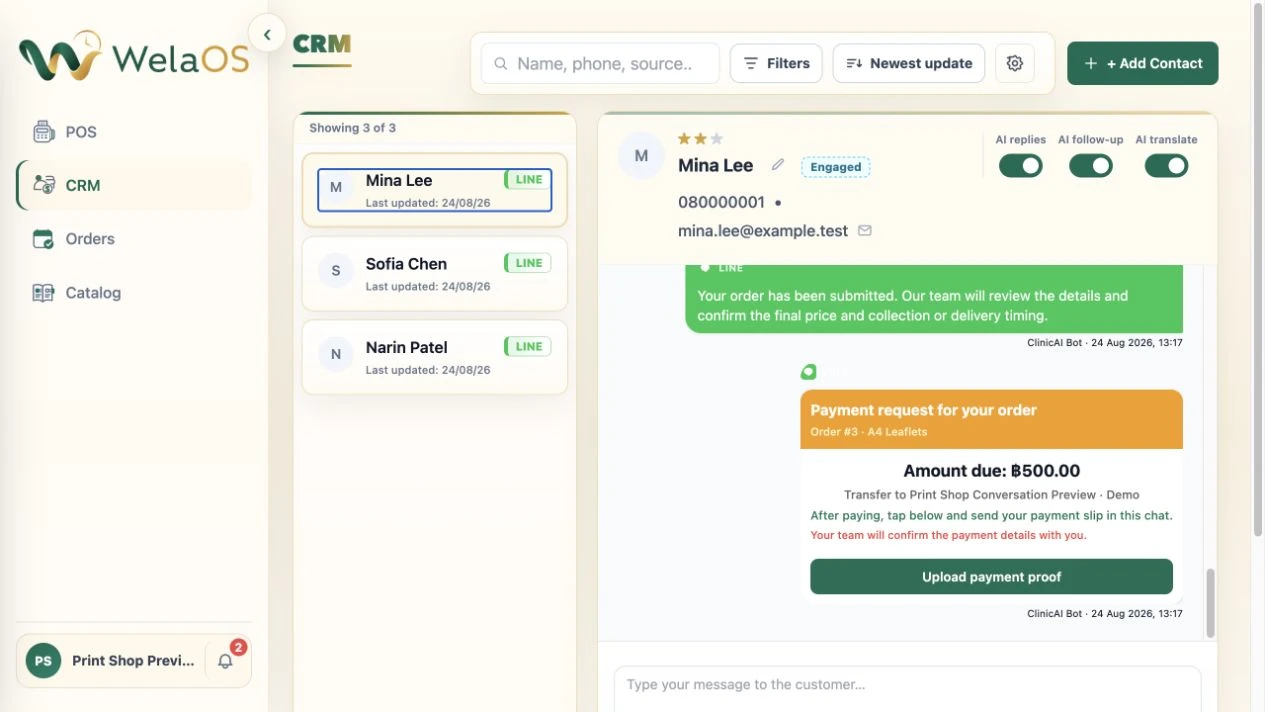
Your order has been submitted. Our team will review the details and confirm the final price and collection or delivery timing. - WelaOS in LINE
Payment request for your order: Order #3 · A4 Leaflets. Amount due: ฿500.00. After paying, upload your payment proof in this chat. Our team will confirm the payment details with you.
After that final message, the team and customer see the same submitted order from their own side of the workflow: WelaOS is the managing system, while LINE remains the customer conversation.
Estimated price: ฿1,800. Submit this order?
Submit order.
Your order has been submitted. Our team will review the details and confirm the final price and collection or delivery timing.
Payment request for your order
Order #3 · A4 Leaflets
Amount due: ฿500.00
Transfer to Print Shop
After paying, tap below and send your payment slip in this chat.
Your team will confirm the payment details with you.
2. The structured order record keeps the estimate useful
After submission, the team sees the same brief, file and estimate in the Orders workspace. They can check the artwork, clarify anything unusual and use or adjust the estimate as the quote for the job. The order becomes the single record for the work, so the team does not need to rewrite the chat into a separate production note.
3. Keep production work on the order
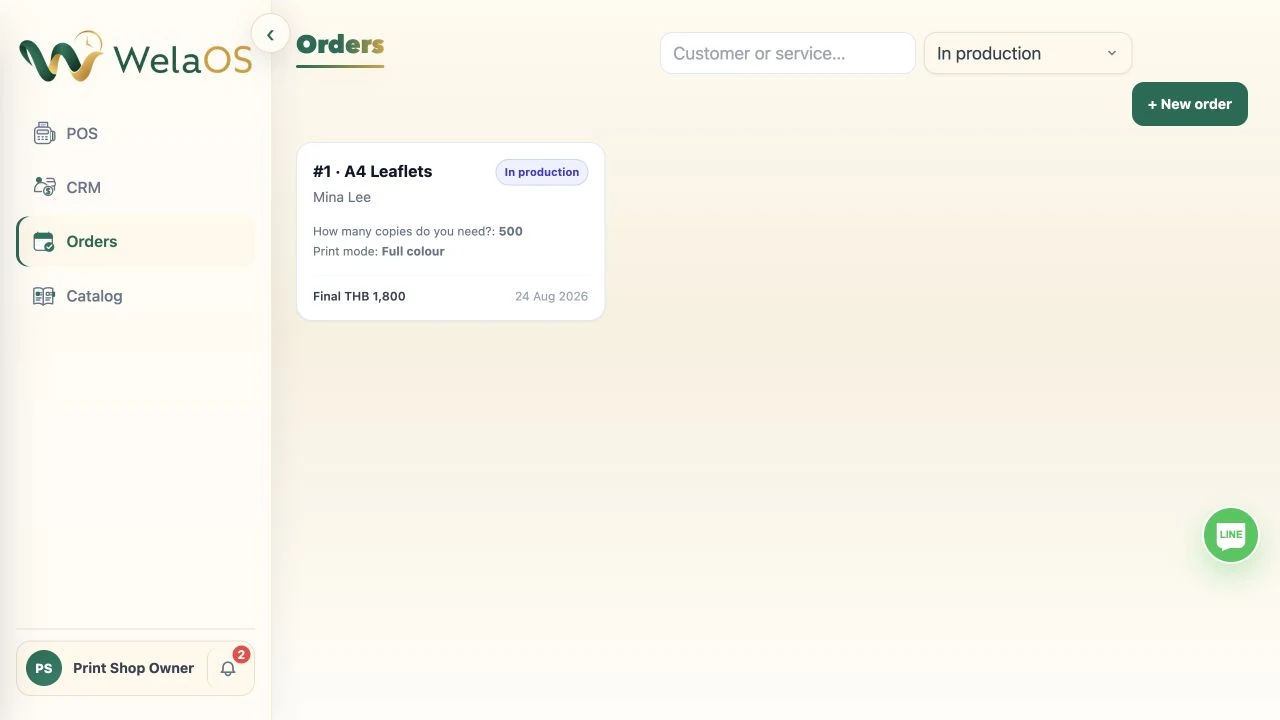
From there, the team works from that same order record. The job can move from submitted to accepted and in production while the artwork, staff-approved final price and customer instructions stay attached. That gives production one clear record without turning a made-to-order print job into an appointment.
4. Tell the customer it is ready, then collect the balance in POS
When the job is finished, staff set the order to Ready for collection. If the customer has a linked LINE identity, WelaOS sends “Your order #… is ready for collection.” and records that outgoing message in the CRM conversation. This is an operational status update, so it does not wait for an optional deposit to be confirmed.
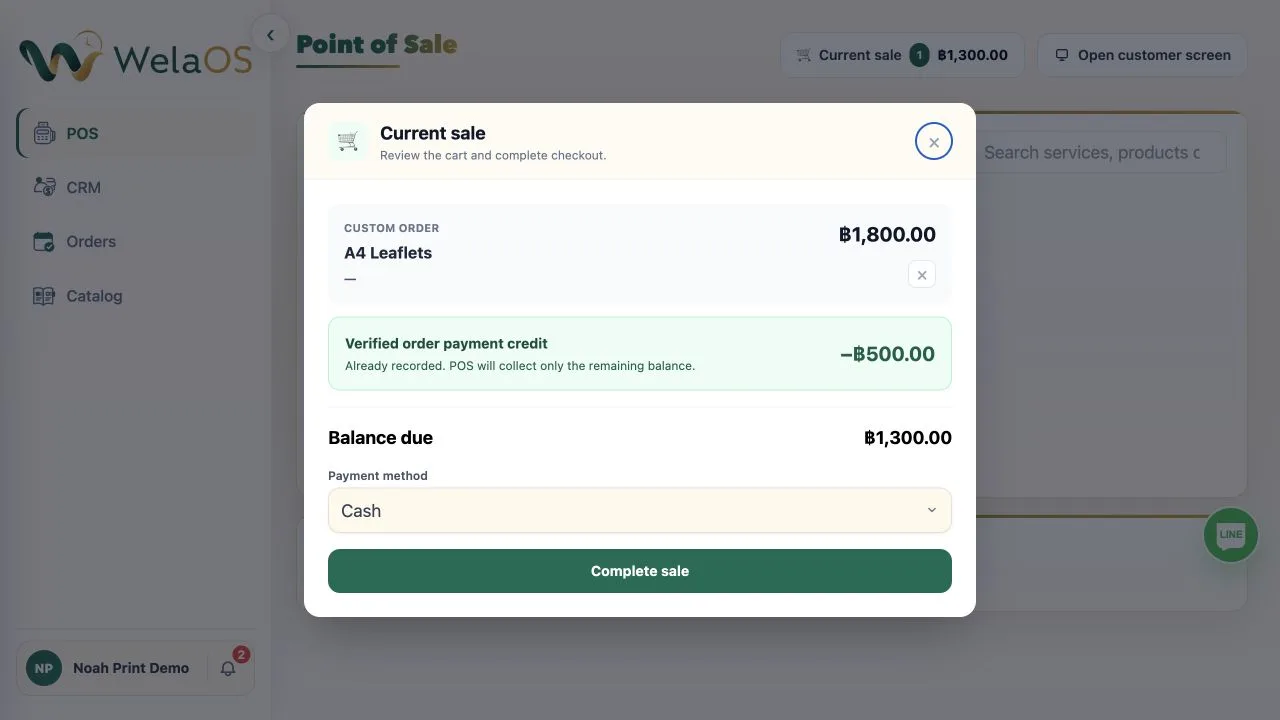
When the customer arrives, staff choose Open in POS from the same order. POS opens the staff-approved final quote rather than creating a booking, applies any verified deposit credit, and collects only the remaining balance through the normal checkout. A fully paid order can still open for its zero-balance receipt.
AI for print shops that connects the conversation to the job
WelaOS is built for print shops that need AI to turn the first LINE message into work the team can actually fulfil. It keeps the customer conversation, artwork, print specification, estimate, deposit request and progress in one order record, so an AI-assisted interaction leads to a clearer production handover and collection.