

Dental clinic software should support the way each patient actually arrives. A simple service can start as a walk-in or an ordinary appointment. A patient who needs several treatments can move into a dental plan with defined visits, bookings, progress, and payment. WelaOS supports all three paths in the same customer record, so a clinic does not have to force every patient into a treatment plan.
1. Start with a walk-in, a normal booking, or an assessment in LINE
For a quick check, cleaning, or other simple service, staff can accept a walk-in or create a normal booking and complete that service without building a dental plan. When an appointment is used, WelaOS reserves the selected provider, room or resource, service duration, and time slot.
For a patient who may need a longer course of treatment, the clinic can expose an Initial Dental Assessment as a Self-service service in LINE. With the Patient care AI role selected, WelaOS can answer administrative questions, check the live schedule, collect booking details, and confirm the assessment without trying to choose the treatment for the dentist.
- Patient
Hello. I’d like to book an initial dental assessment next Friday afternoon. - WelaOS
I can help with that. The available times for Initial Dental Assessment on Friday 28 August are 3:30 pm and 4:30 pm. Which time works for you? - Patient
4:30 pm, please. - WelaOS
Please send your name and phone number for the booking. - Patient
Mali S. · 08X-XXX-0147 - WelaOS
Please review your appointment: Initial Dental Assessment · Friday 28 August · 4:30 pm. Confirm this booking? - Patient
Confirm. - WelaOS
Your appointment is confirmed. We’ll see you on Friday 28 August at 4:30 pm.

2. Create one dental plan and turn it into scheduled visits
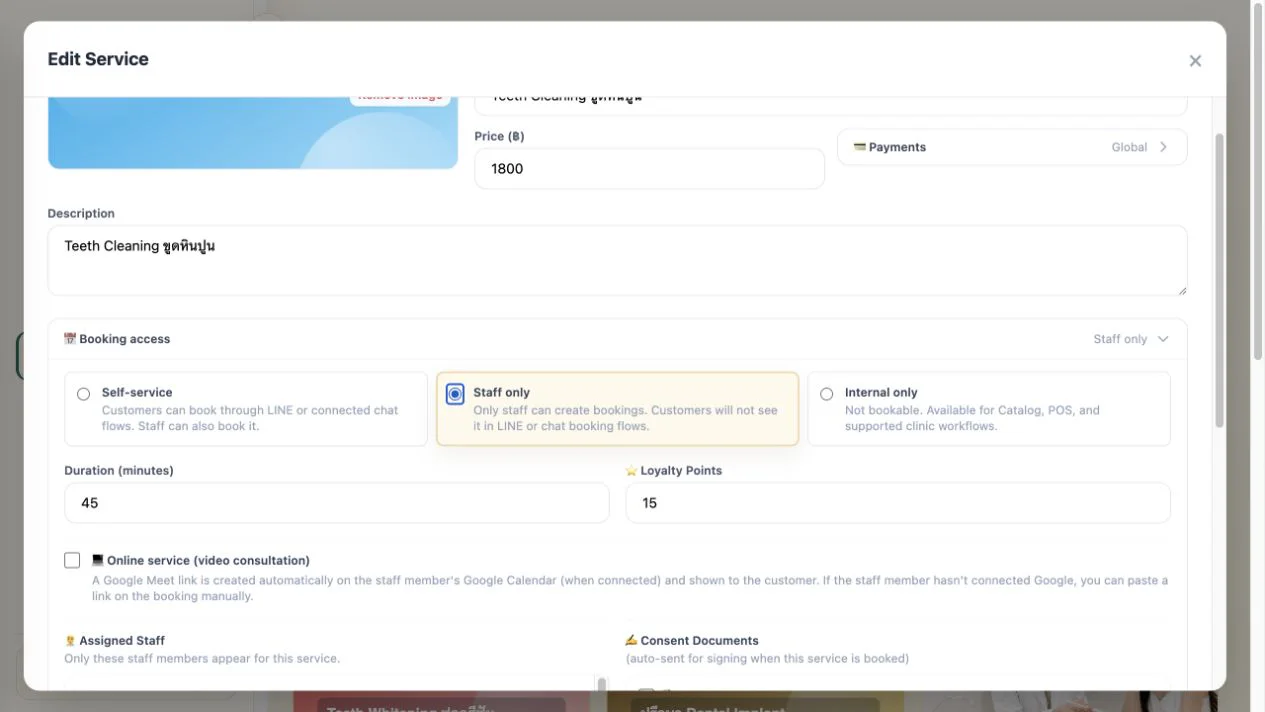
After the assessment, the dentist and authorised team start the patient-specific plan from Catalog items or a custom quotation. Within a dental treatment plan, an Internal only item can be included in the plan and its estimate without creating a Booking. Staff can check it out directly in POS for the selected patient, but it cannot be scheduled as an appointment. Direct POS checkout records the sale, but it does not currently update the treatment-plan item’s payment or completion progress; that happens only through checkout of a linked Booking. Work that needs a date, time, duration and dentist should use a Staff only service: staff can book it, while patients do not see it in self-service booking.
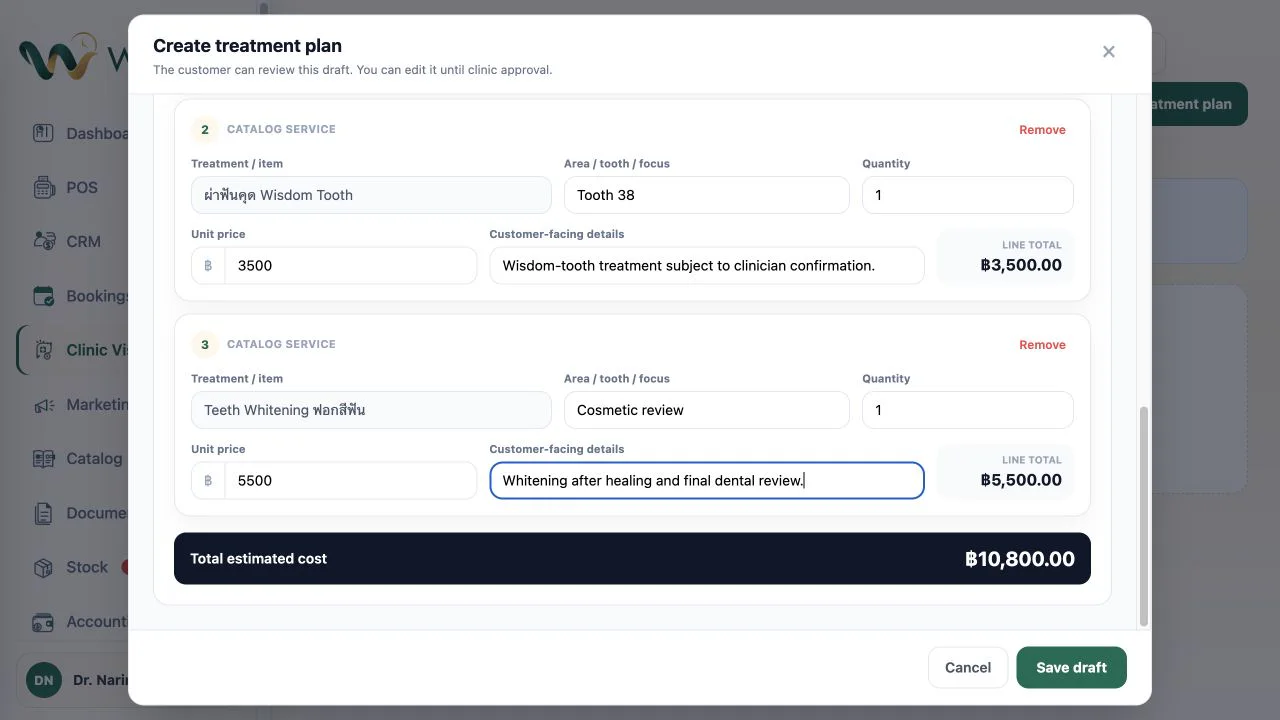
Within the plan, the team records each treatment, tooth or focus area, customer-facing detail, quantity, price and total estimate. A root-canal stage, tooth extraction, filling, whitening or custom quoted item can support the plan, but the dentist remains responsible for deciding which treatments are appropriate and in what order.
The team then groups the bookable treatments into Visit 1, Visit 2, and any later visits that are needed. Each visit receives its own date, time, provider, duration and total price. If several services share one visit, the selected provider must be eligible to perform every service in that visit.
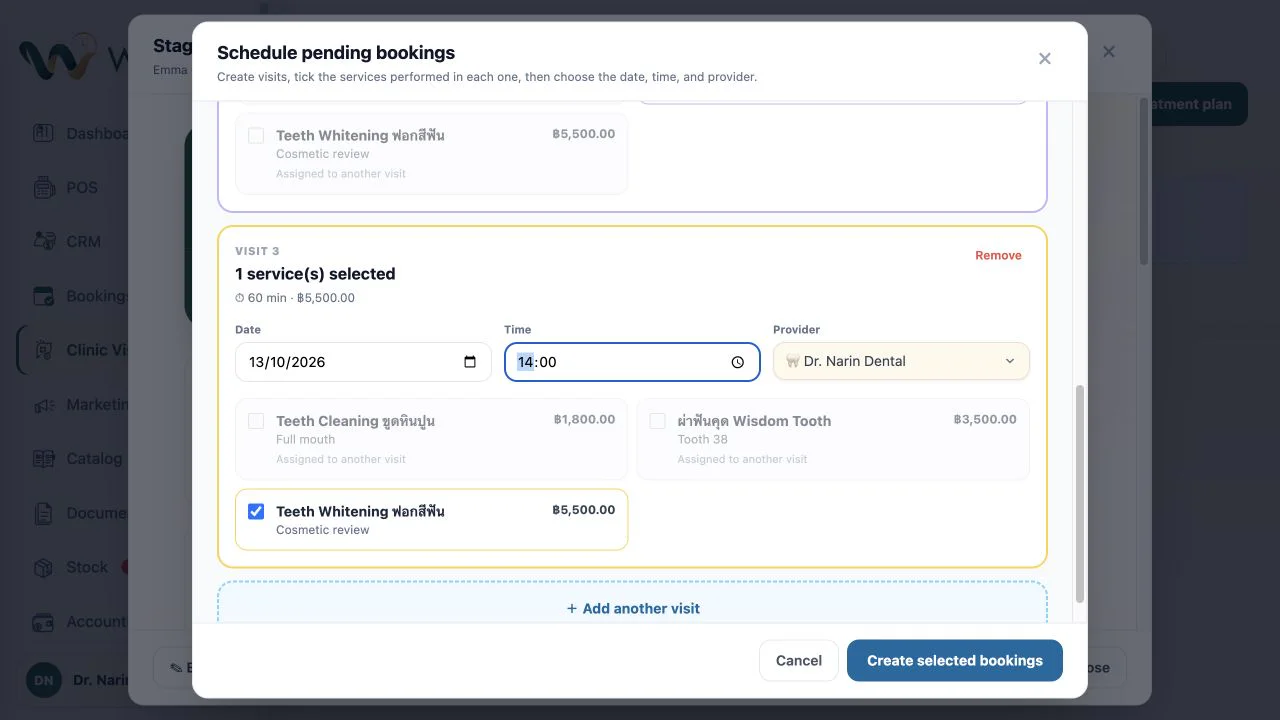
This is the whole planning flow: choose the treatments, assign them to visits, and schedule those visits as real bookings. The plan remains editable while it is a draft. Once an authorised team member approves it, the reviewed treatment lines, prices and visit sequence are locked, and pending bookings are confirmed. That approval is the clinic’s operational lock for the plan, not the patient’s treatment consent.
3. Execute each visit, checkout in POS, and keep the plan visible
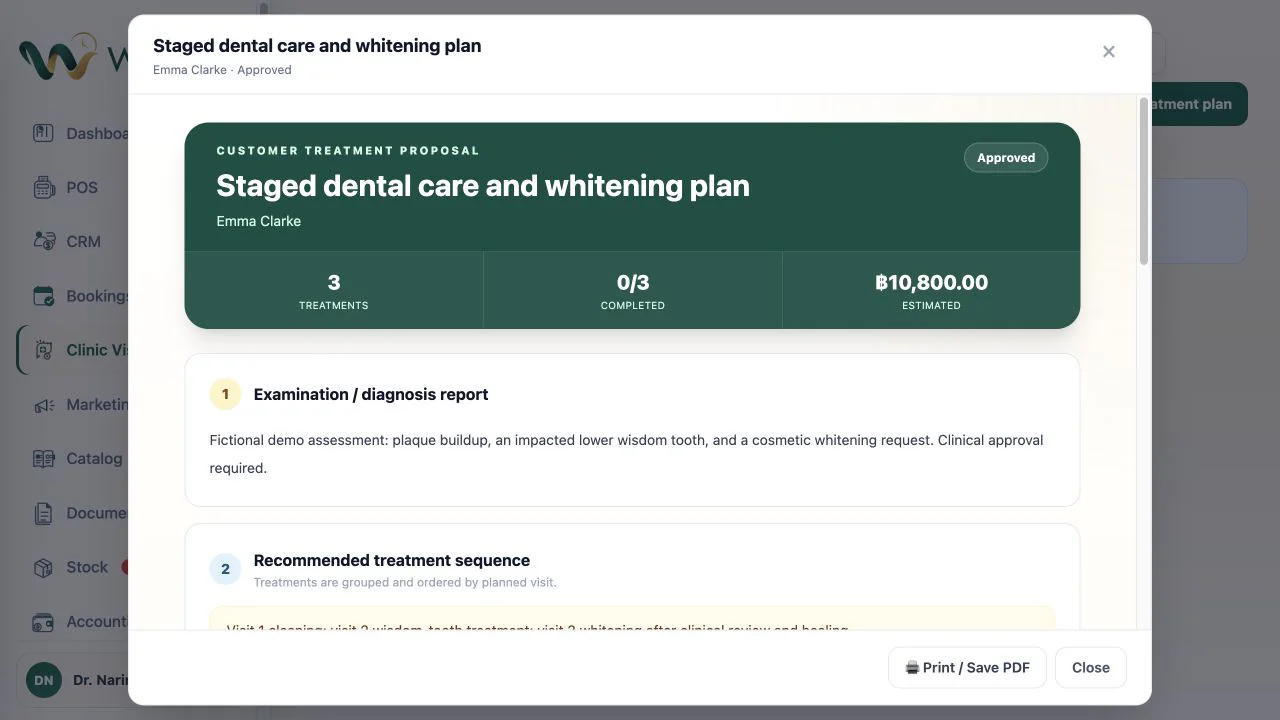
The dentist and authorised staff can reopen the complete plan at any time. The patient can review the clinic’s current proposal through the printable or saved plan document, including the treatment sequence, visit details and estimate. Future work remains an estimate until the relevant visit is completed and paid.
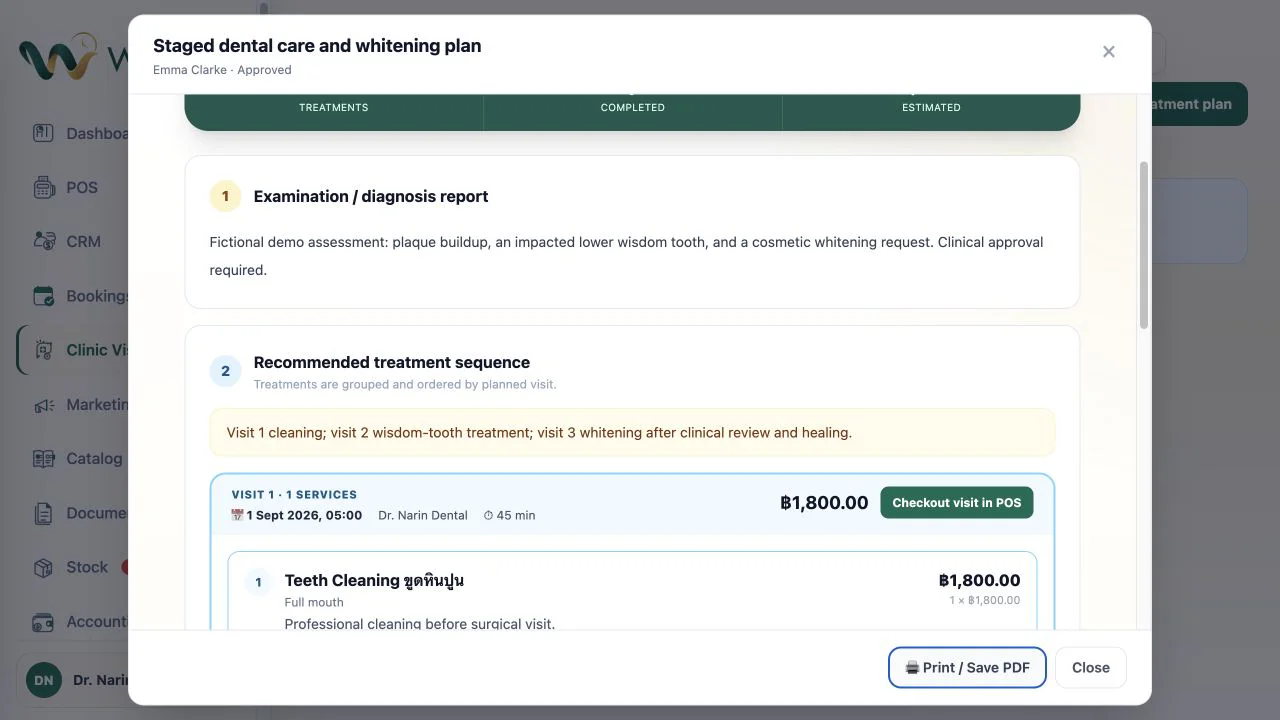
When the patient attends a planned visit, reception opens Checkout visit in POS. POS loads only the treatments assigned to that booking. After checkout, those items become completed, the paid amount updates, and the remaining visits stay open for their own dates.
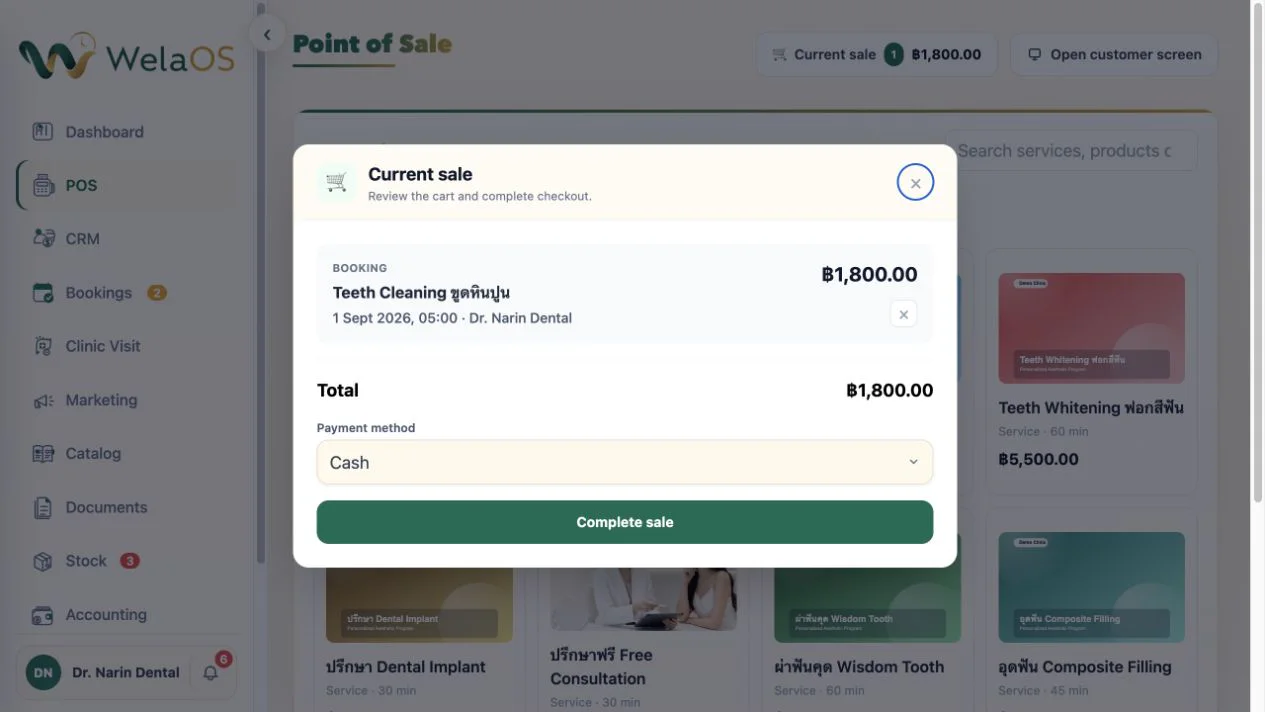
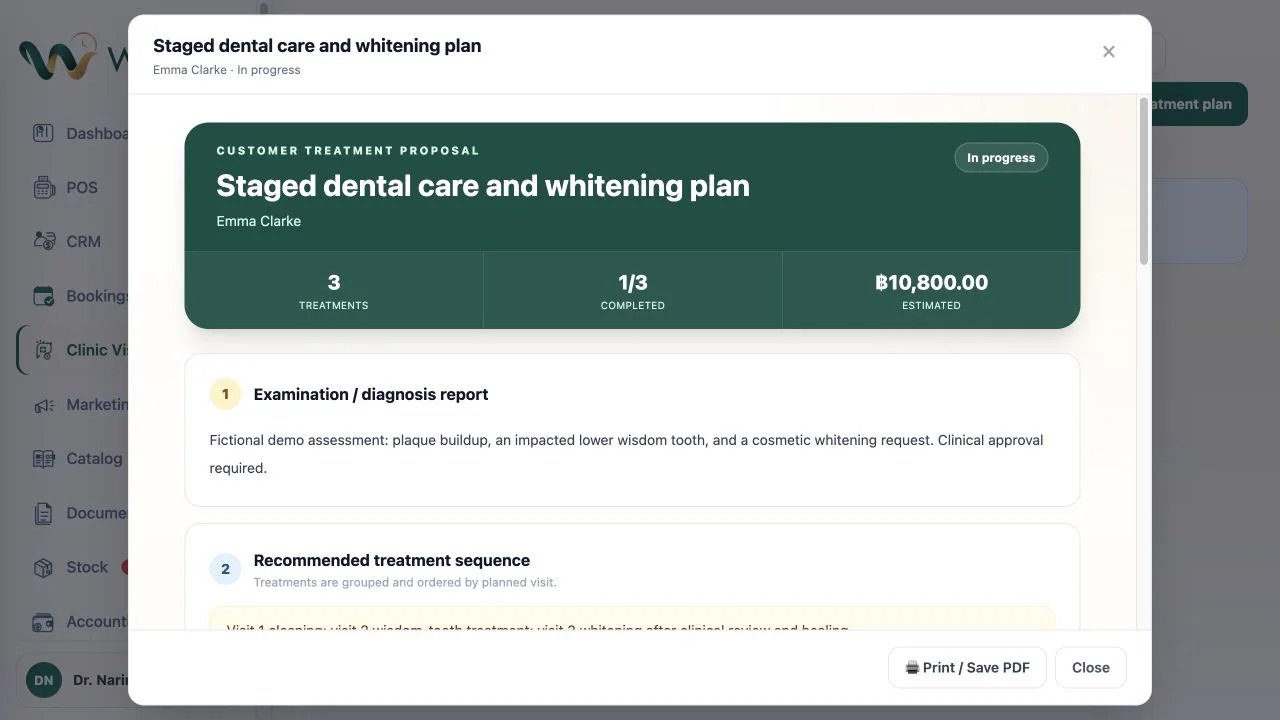
A plan is only needed when the clinic wants this multi-visit structure. A walk-in or single booked service can still move directly through the normal clinic and POS flow.
4. Use Patient care AI follow-up after the dental visit
The same customer conversation can continue after the visit. With Patient care selected and AI Follow-up enabled, WelaOS can ask how the patient feels after the conversation has been inactive for the period the clinic chooses. If the reply asks for personal medical advice or reports a concern, automated replies pause and the dental team takes over.
- WelaOS follow-up
Hello Mali. We are checking in after your dental visit. How are you feeling today? - Patient
I am still sore and would like to know whether I should come back. - WelaOS
Thank you for telling us. I have paused automated replies and asked the dental team to review your message. - Patient
It started last night. Please arrange the review.
The follow-up is helpful without making a clinical decision. AI starts the check-in, recognises the boundary, and brings the dentist into the same thread. The clinic chooses the timing, review mode, and response process.
Explore the connected dental journey in WelaOS
Start with the flow your clinic needs: a walk-in, a simple appointment, or a multi-visit plan built from internal plan items and staff-bookable services. Then see the connected customer journey, browse other WelaOS use cases, or compare WelaOS plans.