
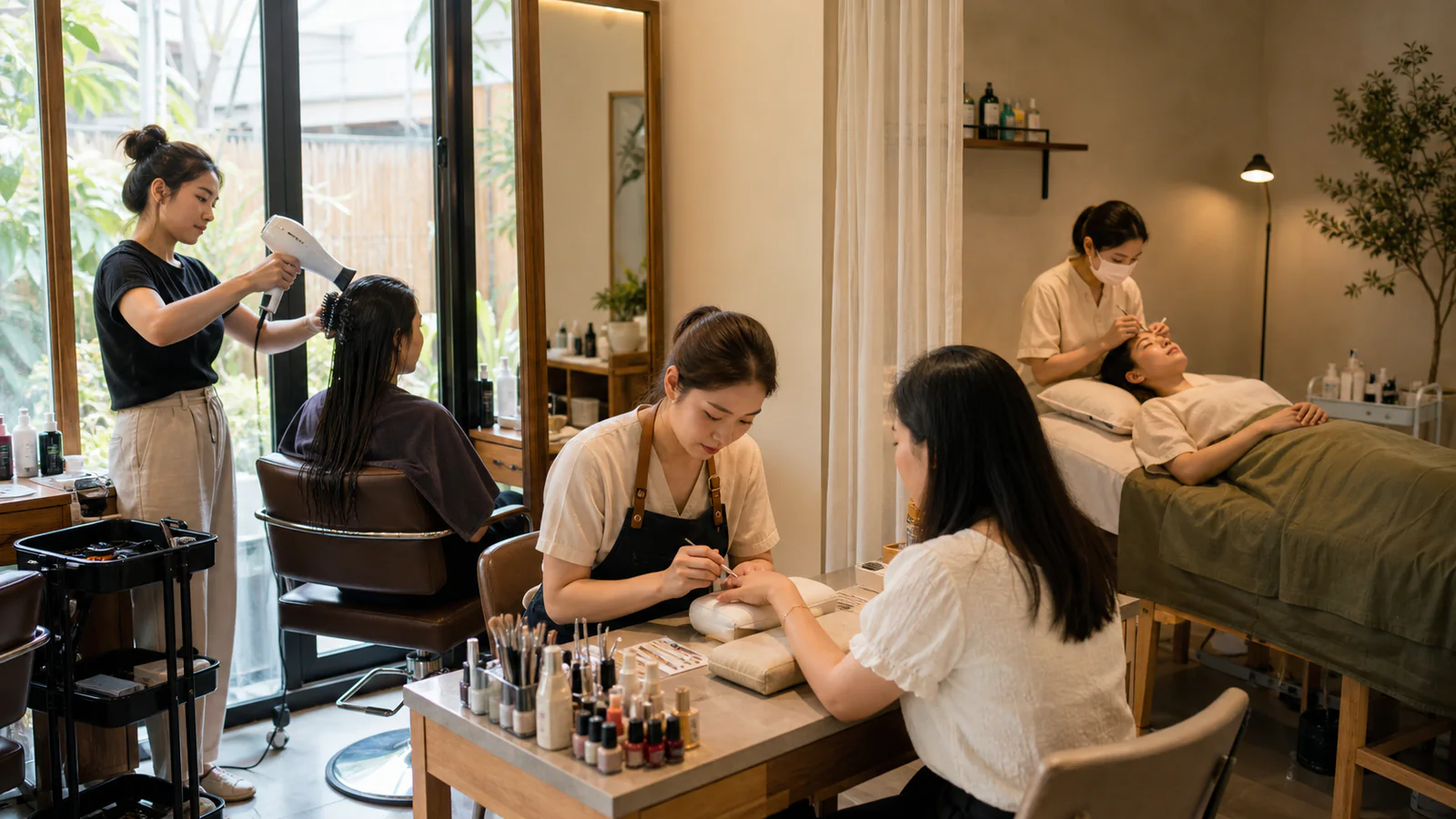
Busy salons need more than a calendar. They need a booking platform that can answer routine customer questions from the information they provide, show times the team can actually deliver, and carry the service through to checkout. WelaOS brings AI booking automation, staff availability and POS into one connected way of working for hair, nail, lash, spa and massage businesses.
From the first message to a finished service
Whether a customer starts in chat, taps a button, opens a booking page or walks through the door, the team should not have to rebuild the details each time. WelaOS keeps every route connected to the services, staff, availability and branch rules you set, so customer service stays flexible and the salon day stays clear.
How an AI booking platform supports a busy salon day
These four connected steps show how a customer enquiry becomes a completed service, a fair staff assignment and the operational records that follow it.
1. Let customers book in the way your salon already works
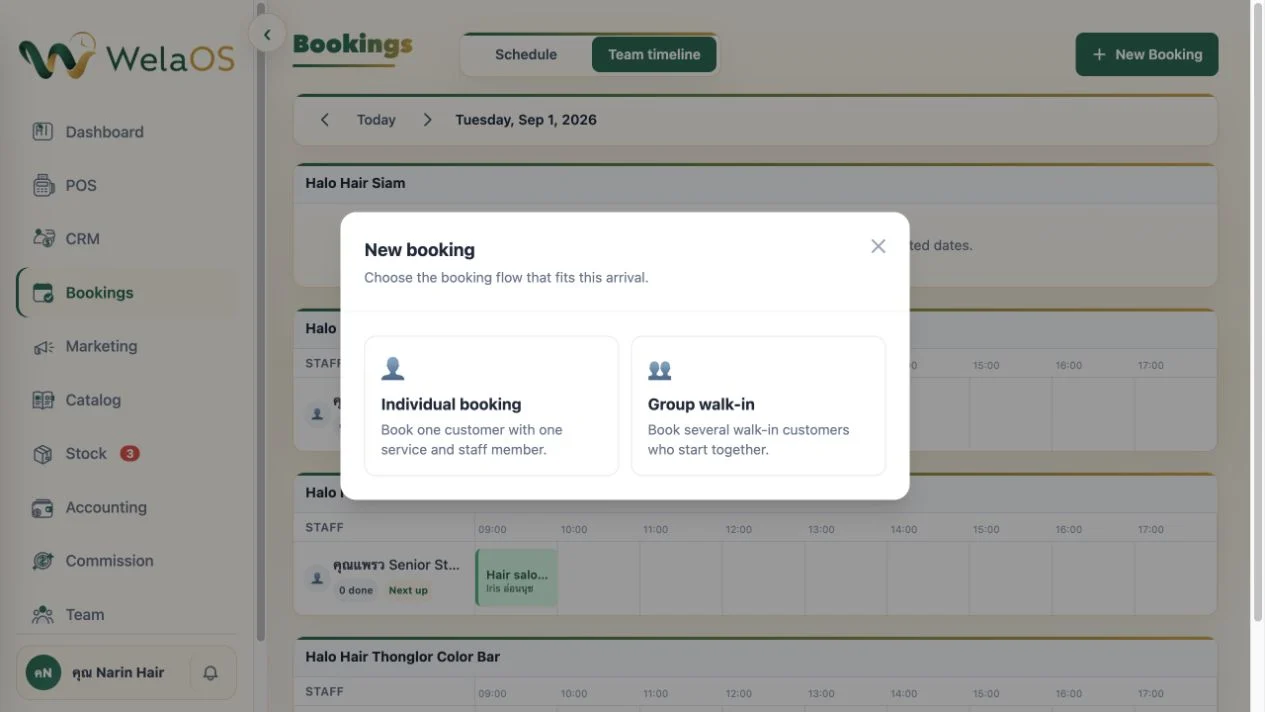
Book for one person or a group. Customers can book for themselves, or book together with family or friends who want to visit at the same time. They can do this in chat, from a booking page or with the front desk. The team can keep the group together while still seeing each guest's service and staff member clearly.
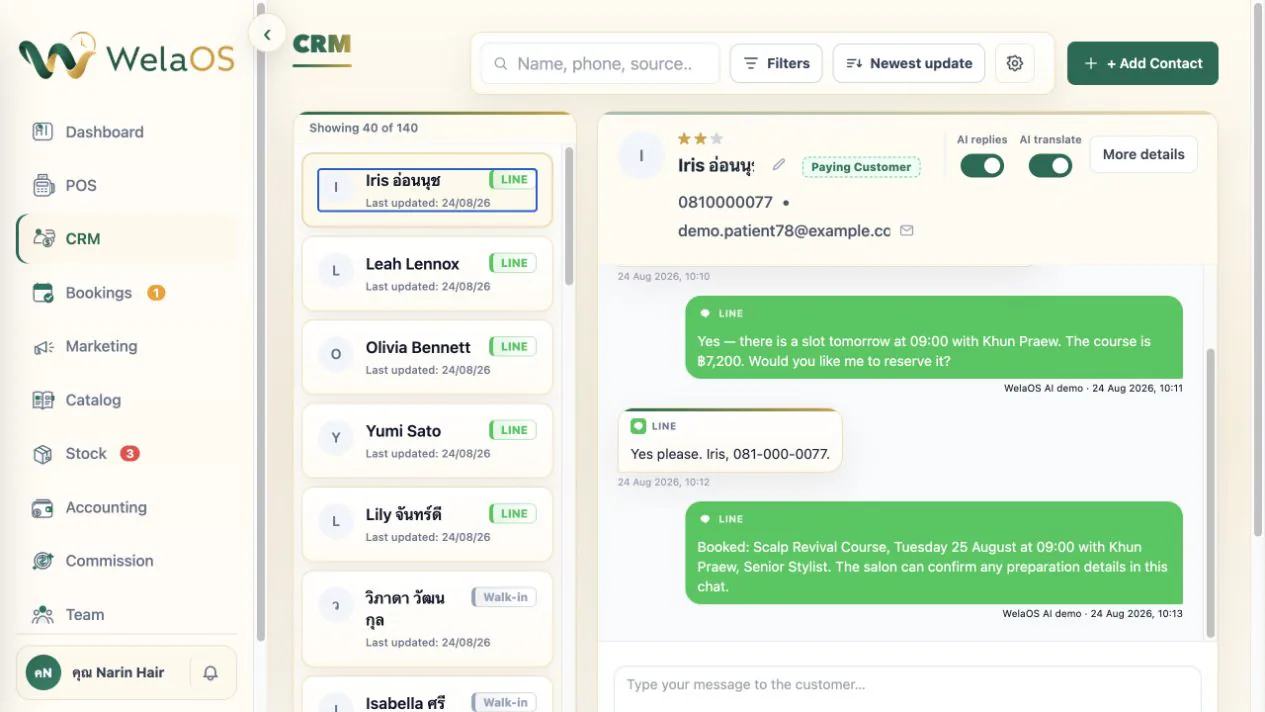
Book with AI in the chat channels your customers already use. Customers can talk to the assistant through LINE OA, Facebook Messenger, Instagram Direct Messages, WhatsApp, Telegram, TikTok or WeChat. It can reply in the customer's language, answer booking questions and help them find a time. It can also answer the shop questions you add to WelaOS, such as parking, cancellation, refund, no-show and payment policies. When the answer is not there, your team can take over.
Book with a quick message button. When customers open the chat, they see your welcome message, address, opening hours and phone number, then can tap a button to book, view their appointments, contact the team or change language. It is a quick route for a repeat visit, and AI is still there when they want to ask a question.

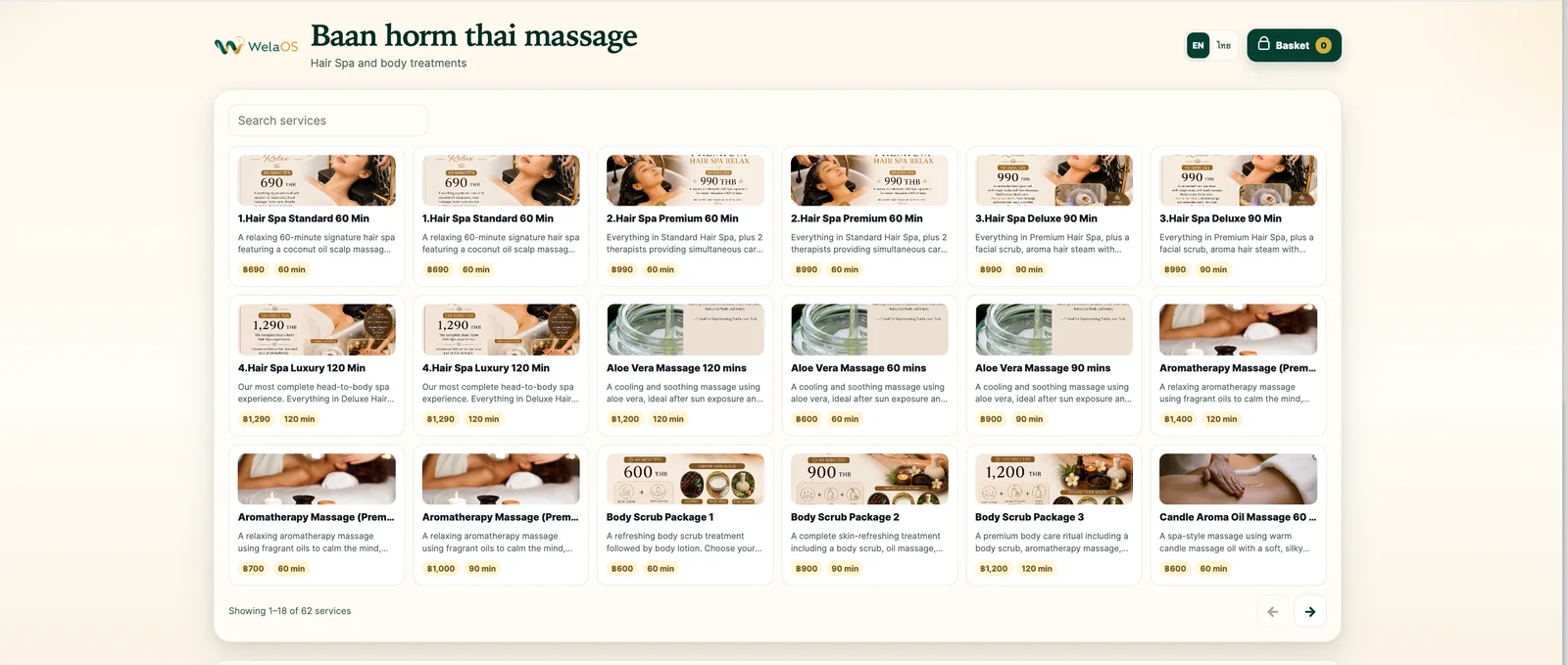
A booking page for each branch. Each branch can have its own booking page with the services it offers and times customers can choose. Share the link on your website or social profile, and add it to the booking or link field on your Google Business Profile so people can book whenever it suits them.
Book at the front desk too. Staff can make single bookings, group bookings, walk-ins, phone bookings and future appointments in Bookings. They use the same services, staff and availability as the customer-facing routes.
Or go straight to POS. If a walk-in service does not need to sit on the calendar, staff can add it directly in POS, choose or add the customer, credit the team member and take payment without creating a booking.
2. Choose a staff-assignment rule that fits the team
Once the customer has chosen a service, there are three ways to assign the work: let them choose their staff member, randomly assign someone who is available, or use Round Robin. Round Robin sends each automatic booking to the first person in the branch queue, then moves that person to the back. If that booking is cancelled, they return to the front. It is a simple way to share new work more evenly across the team.
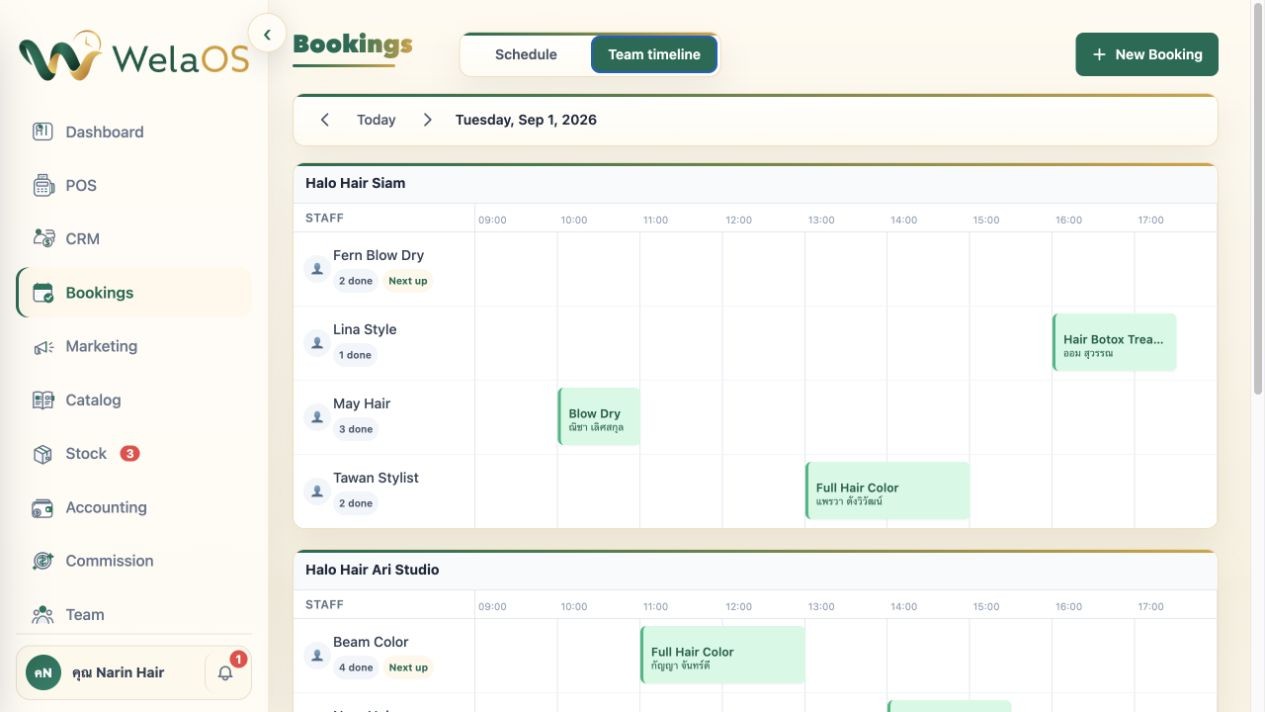
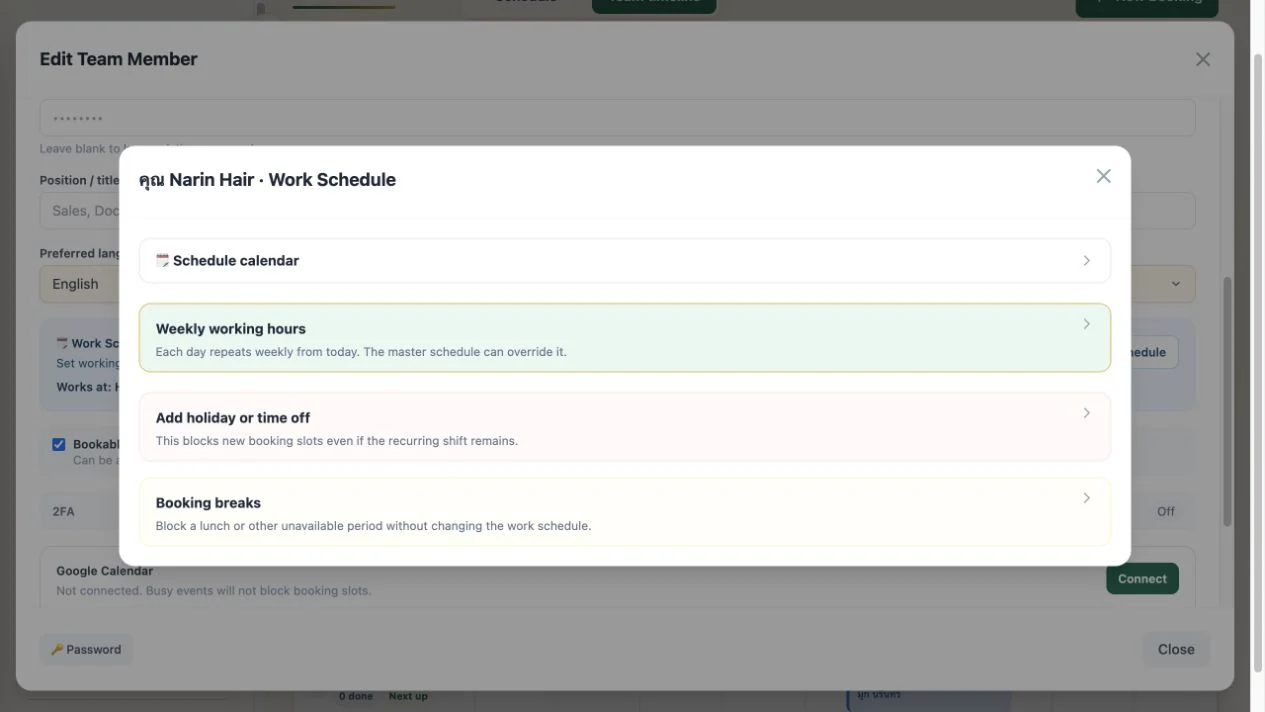
This only works when the schedule is real. In the Team module, you can add staff, set their working hours, add lunch breaks, holidays and time off. Those hours are linked to booking availability: if a stylist is busy with another customer, at lunch or not working that day, customers will not be offered that time.
3. Let checkout trigger the commission, stock and accounting handoff
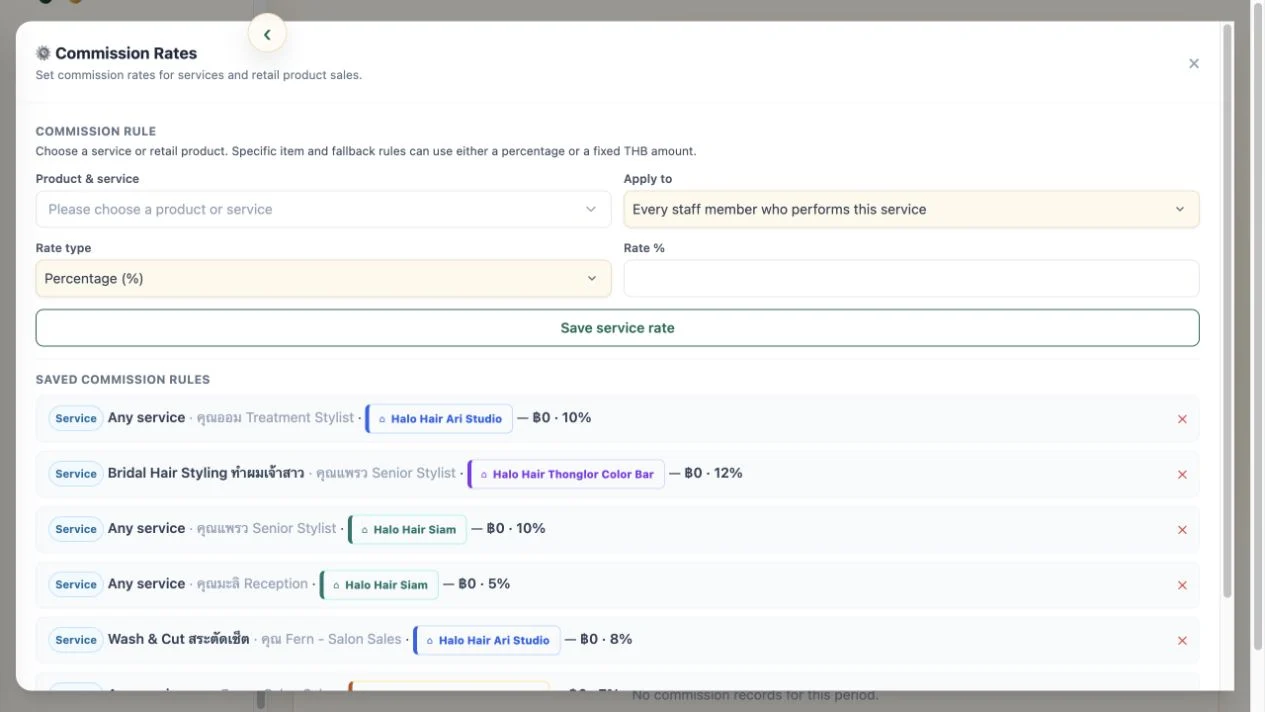
When a booked service is finished and paid for in POS, WelaOS closes the booking and creates commission records from the rules you set. Start with a percentage or fixed amount, then use different rates for a service, product, staff member or branch.
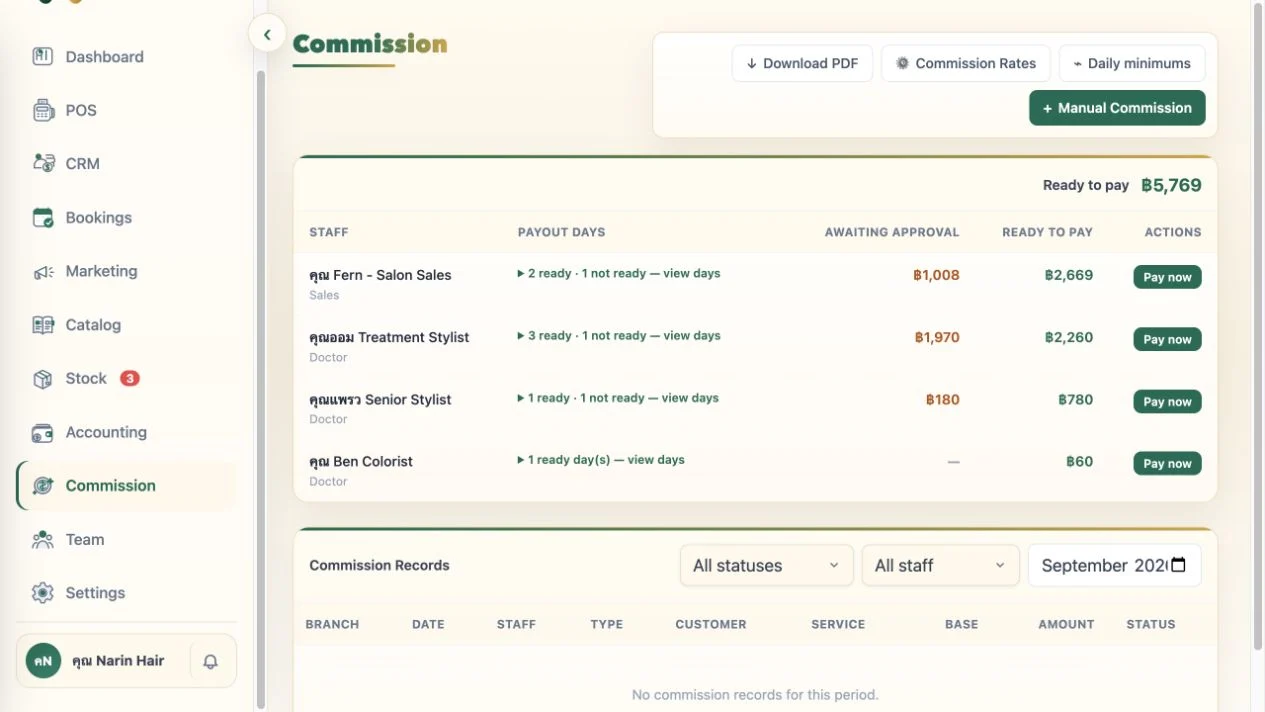
Commission records stay in the Commission module until a manager approves and pays them. Paying a batch also creates the matching Commission expense in Accounting, so staff payouts and business costs stay together. If a booked service uses tracked stock, successful checkout deducts it from that branch too.
For the rest of the paperwork, AI Upload makes it easier to bring receipts and invoices into Accounting and review the details before saving them. Spreadsheet data can be brought in through the separate import flow.
4. Run several branches from one business view
Each branch can work in its own way. You can keep core service and stock information consistent across the business while giving each location its own service selection, prices, duration, team, queue, booking page and stock levels. That means the Siam branch does not have to run like the Ari branch.
Each branch keeps its own schedule and queue, but the owner can see the full business in one place. A master admin can work across every branch; branch admins can be given access to the information and modules for the branch they manage.
A booking platform that grows with the salon
For customers, booking should feel easy. For the team, the next service should be possible, clearly assigned and properly recorded. For the owner, a busy day should not end with separate systems to reconcile. WelaOS connects those needs without forcing a hair salon, nail studio, spa or massage business into one rigid way of working.
Start with the route your customers already use: AI chat, a booking page, the front desk or POS. Then add the staff, commission and branch controls that fit your operation. Explore the WelaOS growth loop, browse service-business use cases, or compare WelaOS plans.