

A customer rarely opens LINE by saying, “Please create a complete aesthetic-clinic workflow for me.” They ask what a treatment costs, whether an offer is current, what appointment times are available, and whether the clinic can help with a particular concern. Good aesthetic clinic booking software has to turn that commercial conversation into a real visit without letting the sales assistant make a clinical decision. WelaOS connects those moments: a conversion-oriented LINE exchange, a validated booking, configured intake, a booking-led before-and-after photo journey, multi-visit package tracking, a safety-bounded follow-up, and checkout in POS.
1. Start with a Sales-focused LINE booking conversation
For a clinic that wants a more conversion-oriented front desk, WelaOS labels the AI role Sales-focused. The clinic can pair that role with a communication style such as Professional & premium. The role controls the permitted sales objective and calls to action; the style changes presentation. Neither one becomes a source of business facts.
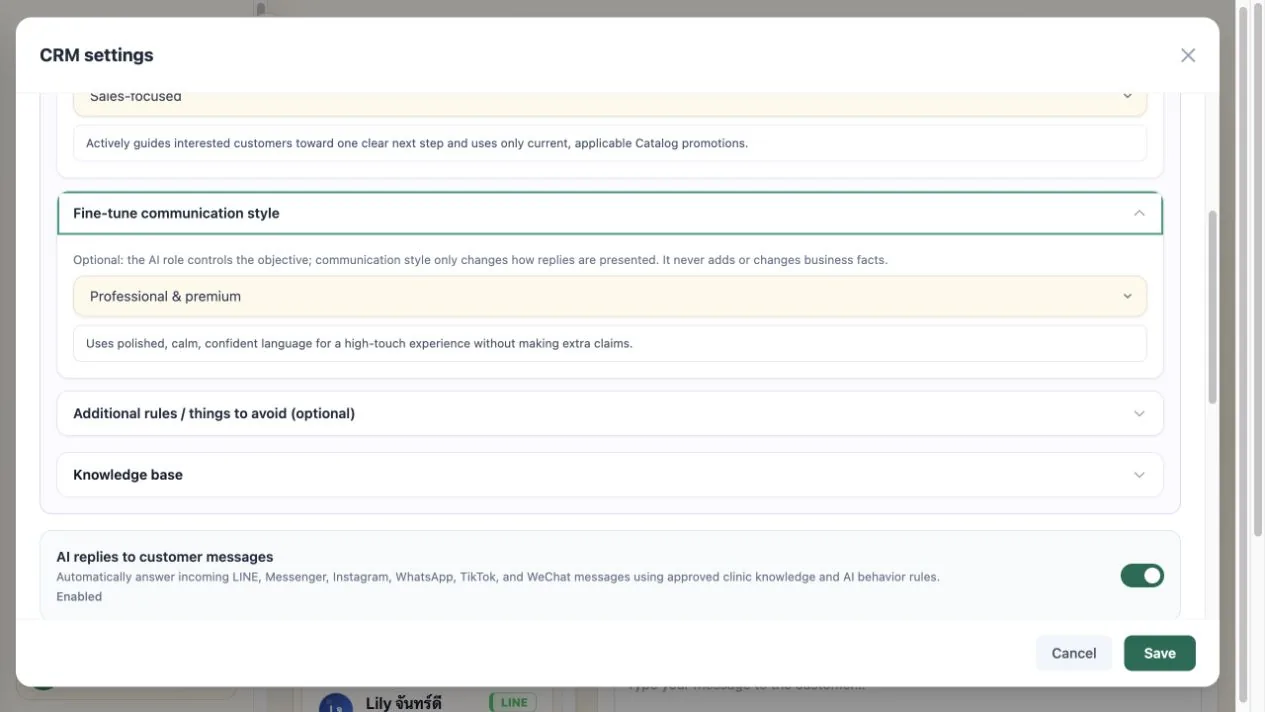
Service names, public-booking status, prices, durations, assigned providers, and current promotions come from the clinic’s live Catalog. Real appointment slots come from Bookings. The AI can decide how to present those verified facts, but it cannot create a discount, turn an internal service into a public one, invent a provider, or promise a time that is not available.
With the Sales-focused role, a question about one named, publicly bookable service can receive the exact listed price and one unambiguous current Catalog promotion, followed by one clear invitation to book. If the customer asks for facts only or says not to mention promotions, that instruction suppresses the sales copy. The assistant also avoids repeating the same invitation without a new customer signal.
- Customer
How much is Lumi Lift, and do you have a promotion? - WelaOS
Lumi Lift is listed at ฿12,000 for 75 minutes. The current August Glow promotion gives 10% off Lumi Lift. - Customer
Thanks. I need to think about it. - WelaOS
Of course.
2. Treat the 24-hour message as an inactivity follow-up
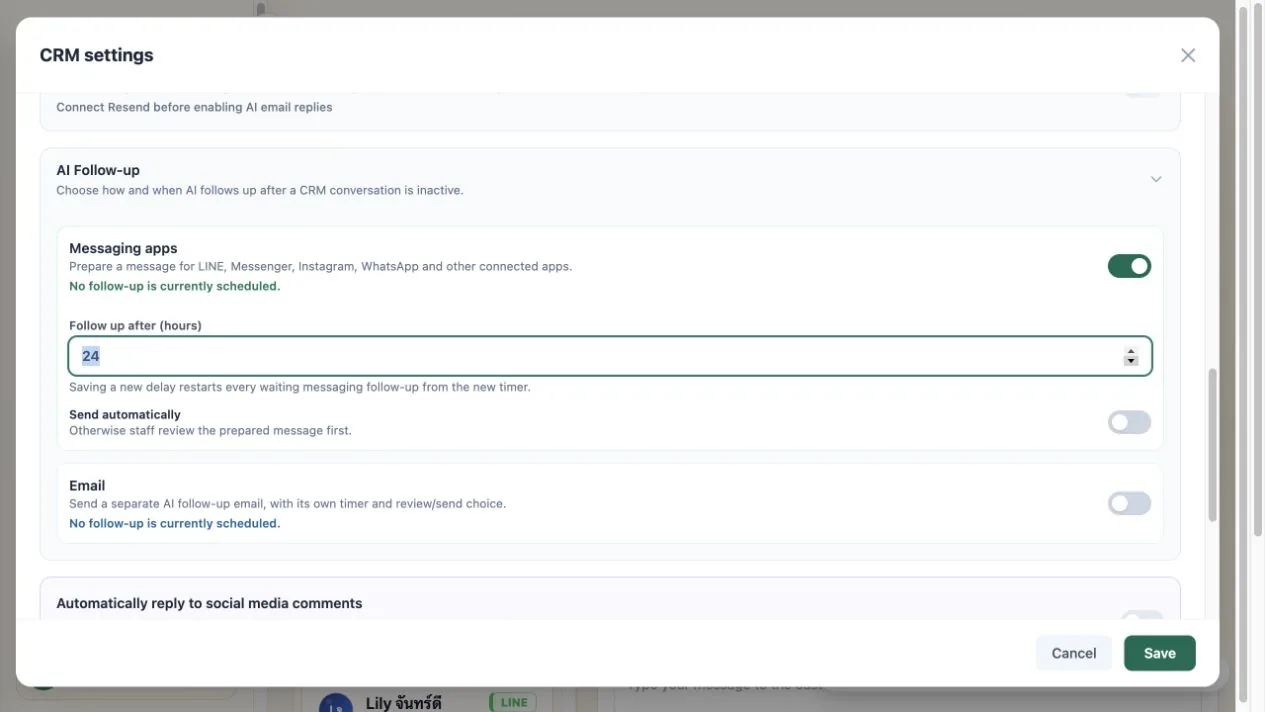
In this aesthetic clinic workflow, the configured 24-hour AI Follow-up is deliberately trying to close an unresolved sale. After the LINE conversation has been inactive for 24 hours, WelaOS returns to the customer’s Lumi Lift enquiry, repeats the current 10% August Glow promotion, and asks a direct booking question. Once the customer replies, the same conversation continues through real availability, contact details, the clinic’s pre-booking question, and appointment confirmation.
The clinic can keep this sales follow-up in review-first mode or explicitly enable automatic sending on an eligible plan. A newer customer message updates the conversation before a stale follow-up is sent. The sales chase can use the publicly bookable service, its current Catalog promotion, and available appointment times, but it cannot invent a discount, manufacture scarcity, promise a cosmetic result, or confirm a slot that is not available.
- 24-hour inactivity follow-up
The August Glow offer still gives 10% off Lumi Lift. Would you like me to show you Saturday appointment times? - Customer
Yes. Saturday afternoon? - WelaOS
I found 2:00 pm and 3:30 pm. Which would you prefer? - Customer
3:30 pm. - WelaOS
Please send the booking name and phone number. - Customer
Mina Lee, 08X-XXX-0101. - WelaOS
What would you like the provider to focus on during your consultation? - Customer
I would like to discuss my lower-face area and realistic options. - WelaOS
Your Lumi Lift booking is confirmed for Saturday at 3:30 pm with Dr Mira.
3. Collect booking answers in CRM for provider review
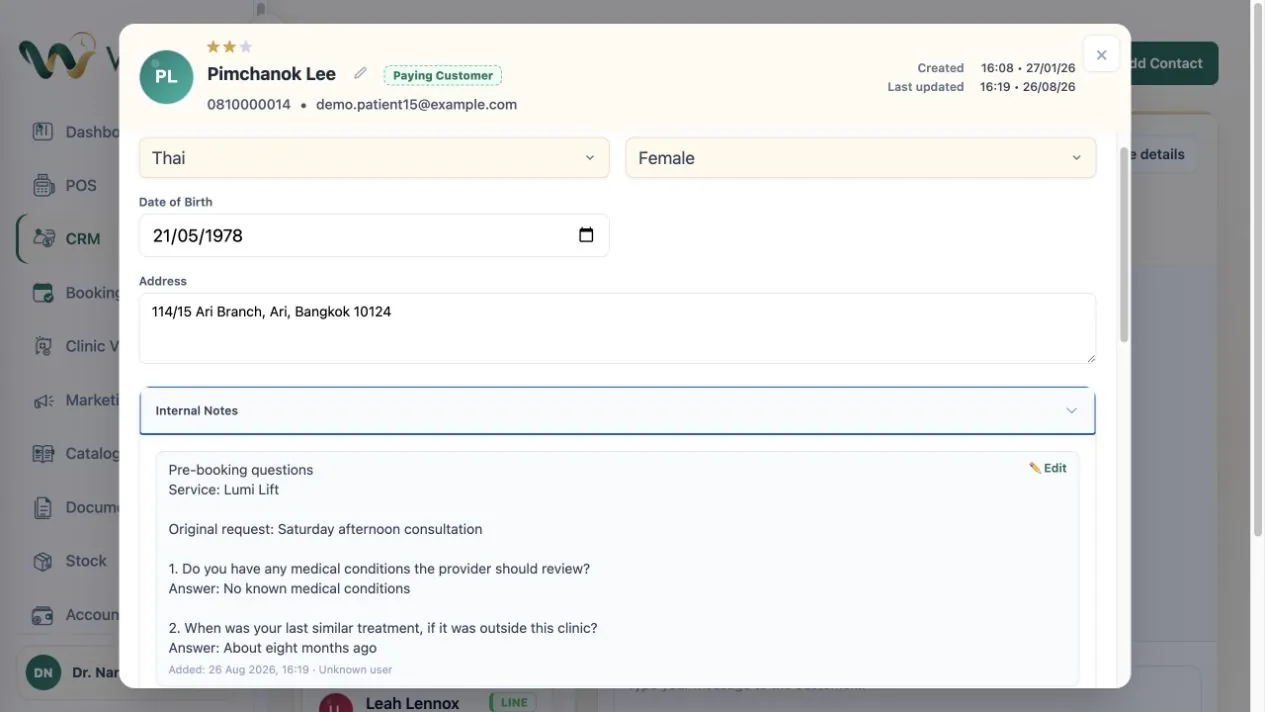
The clinic can place a short questionnaire before the customer chooses a time or after the customer selects a date, time, and provider. Questions can cover known medical conditions, allergies, or when the customer last received a similar treatment somewhere else.
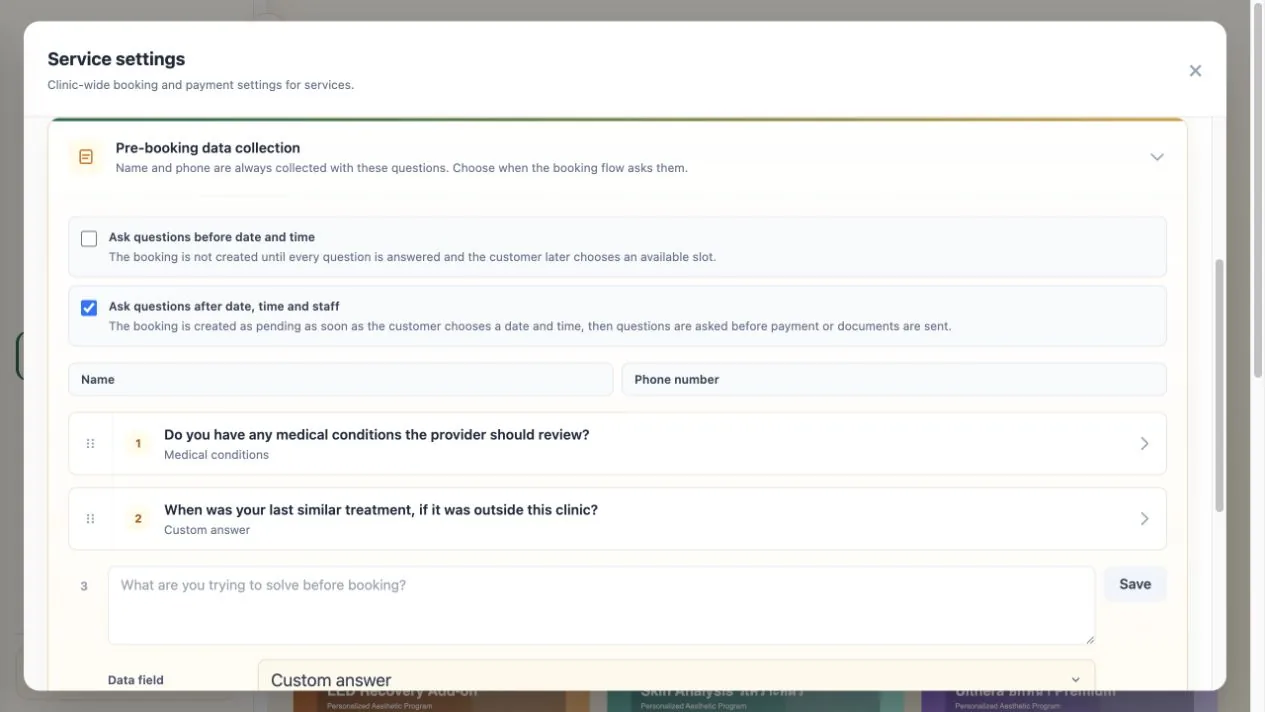
The answers stay with the same customer in CRM, and supported answers can map to patient fields. The provider can review them before the visit or procedure while the booking engine separately checks the active service and real provider availability. Where enabled, the clinic can also collect a Thai ID card or passport through its separate identity-document flow.
4. Make Clinic Visit a controlled before-and-after photo journey
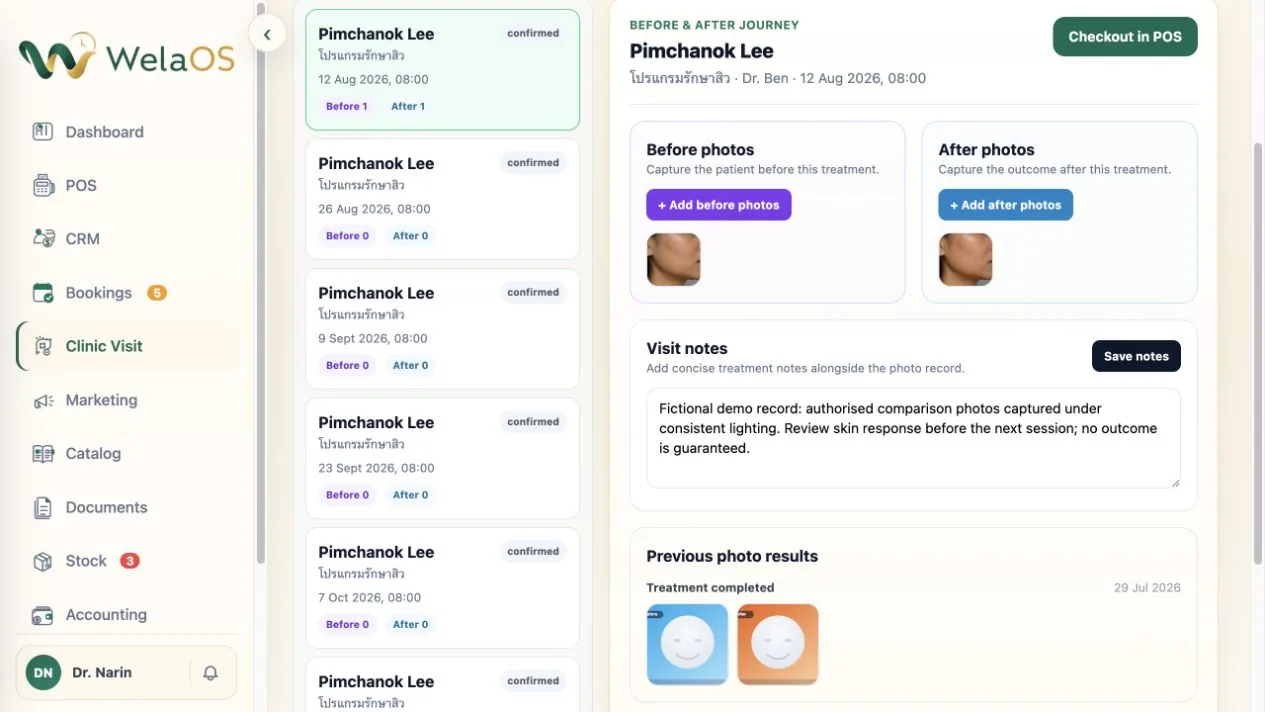
WelaOS keeps multiple Before photos, multiple After photos, and Visit notes with each booked aesthetic visit. Staff can capture the before set early, add the after set later, and reopen Previous photo results when the customer returns.
Customers can ask for their completed treatment history through LINE. WelaOS shows the treatment details and available before and after photo counts there, while the protected image files remain in the staff workspace. When the clinic chooses to share approved media, staff can send images or MP4 videos in the same customer conversation.
5. Sell multi-service packages without losing the session balance
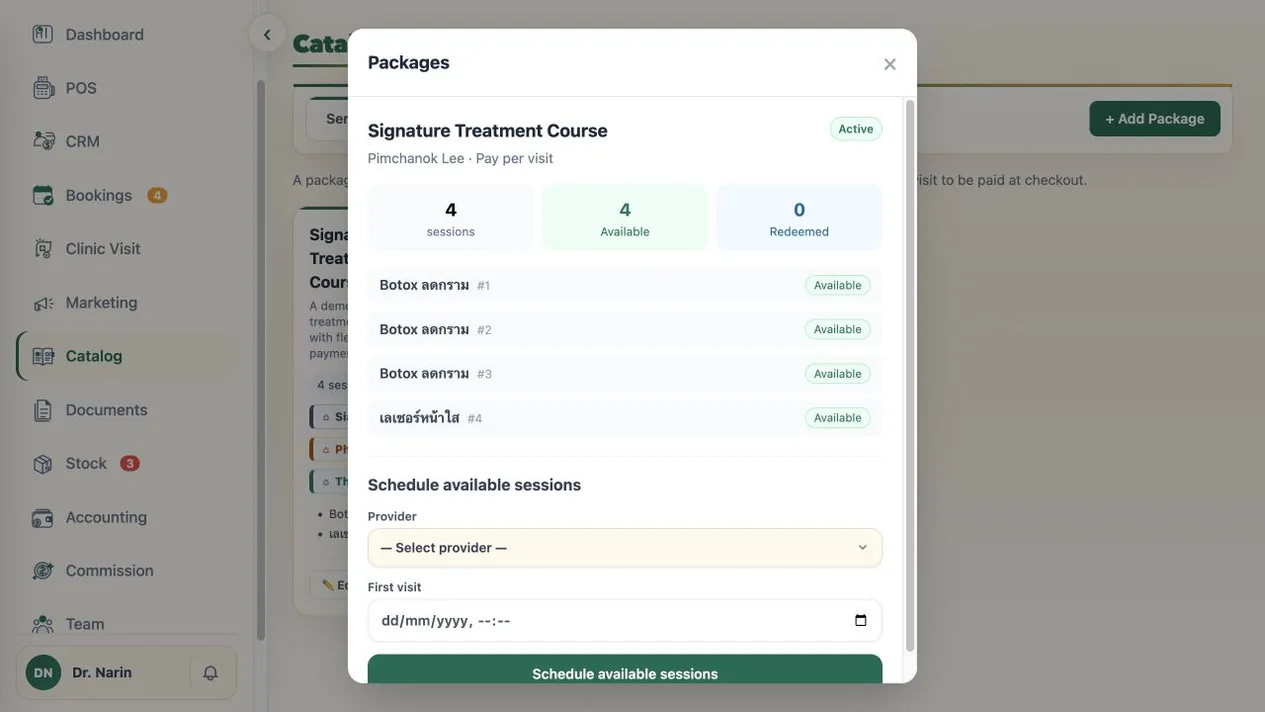
Many aesthetic programs span several visits and services. WelaOS lets the clinic combine existing Catalog services into one reusable package and set how many sessions of each service it includes. Staff sell the package to a named customer, with payment collected upfront in POS or, when that package allows it, at each visit.
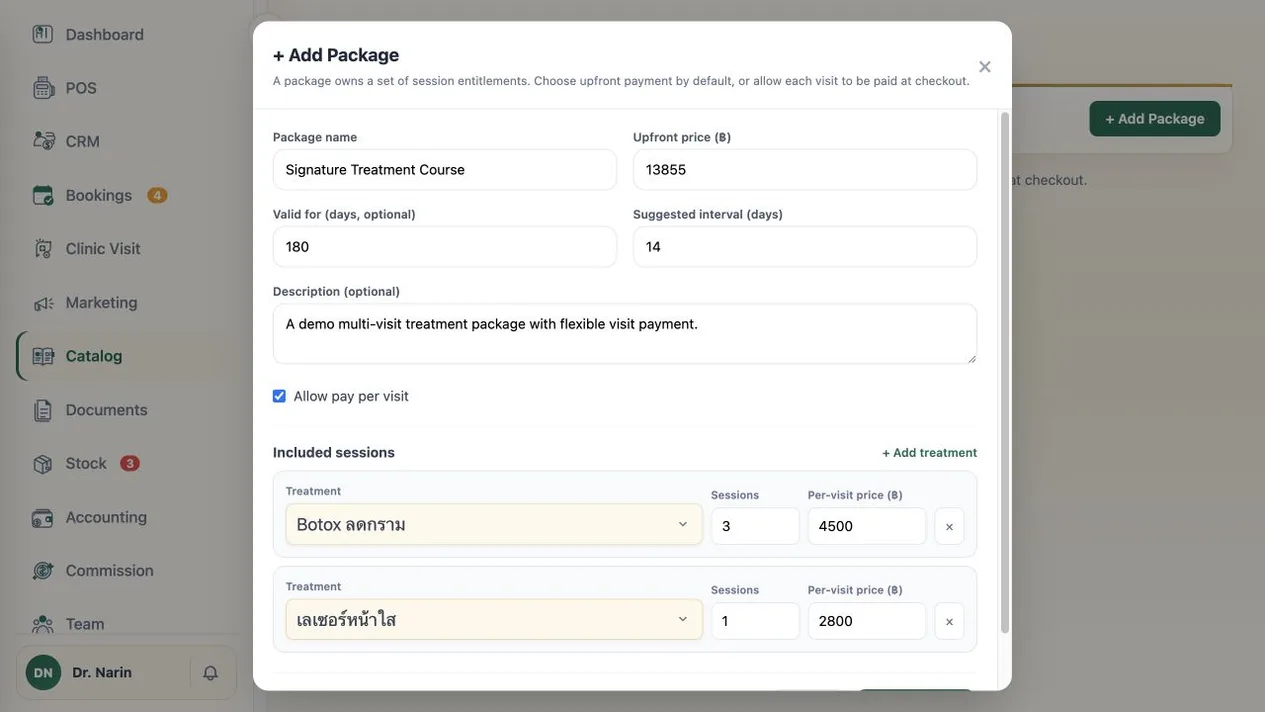
Each purchase creates its own session balance. Booking an owned package session moves the relevant entitlement from Available to Reserved; POS checkout records it as Redeemed. Cancelling the reserved booking returns it to Available, so staff can distinguish visits that are still usable, already booked, and completed.
A LINE-linked customer can type My packages, open Package statements, choose Prepare PDF, and use the short-lived Download PDF link to retrieve a current statement. Its Package balance shows total, used, reserved, and available sessions, followed by the Included sessions list. Package purchase remains staff-led; LINE provides the private statement rather than an inline shopping or balance portal.
6. End the booked aesthetic clinic visit in POS
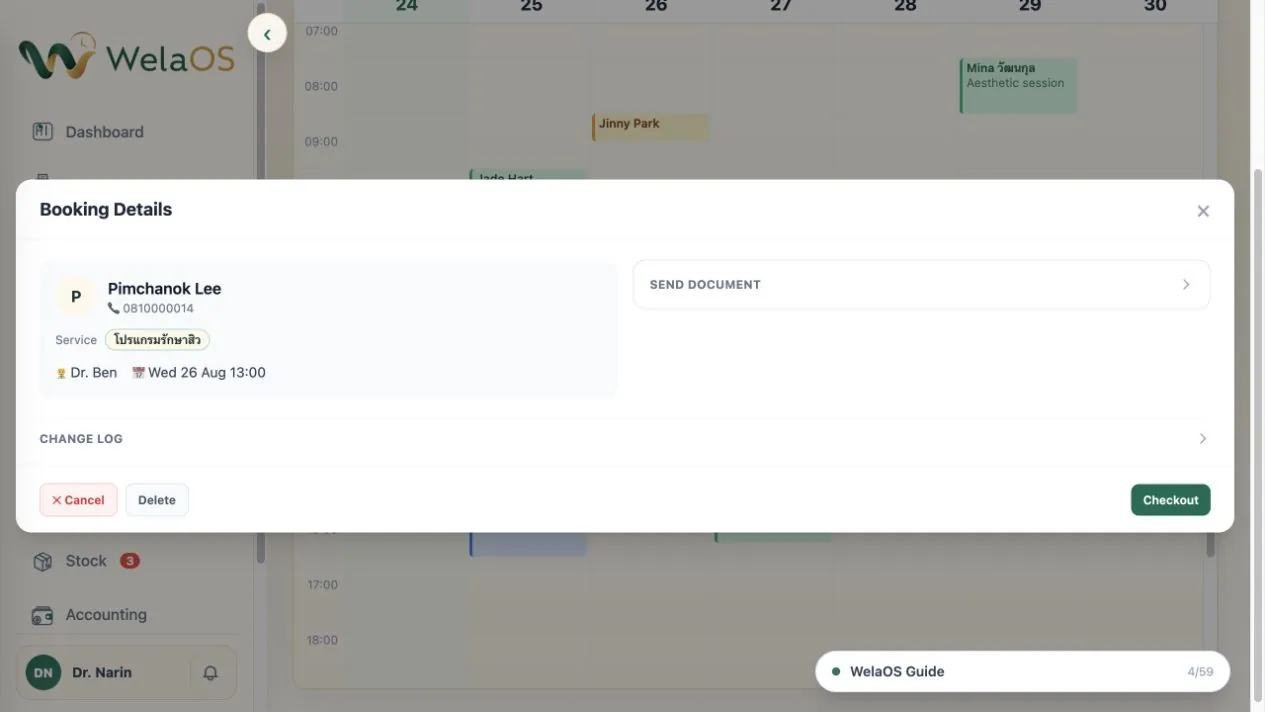
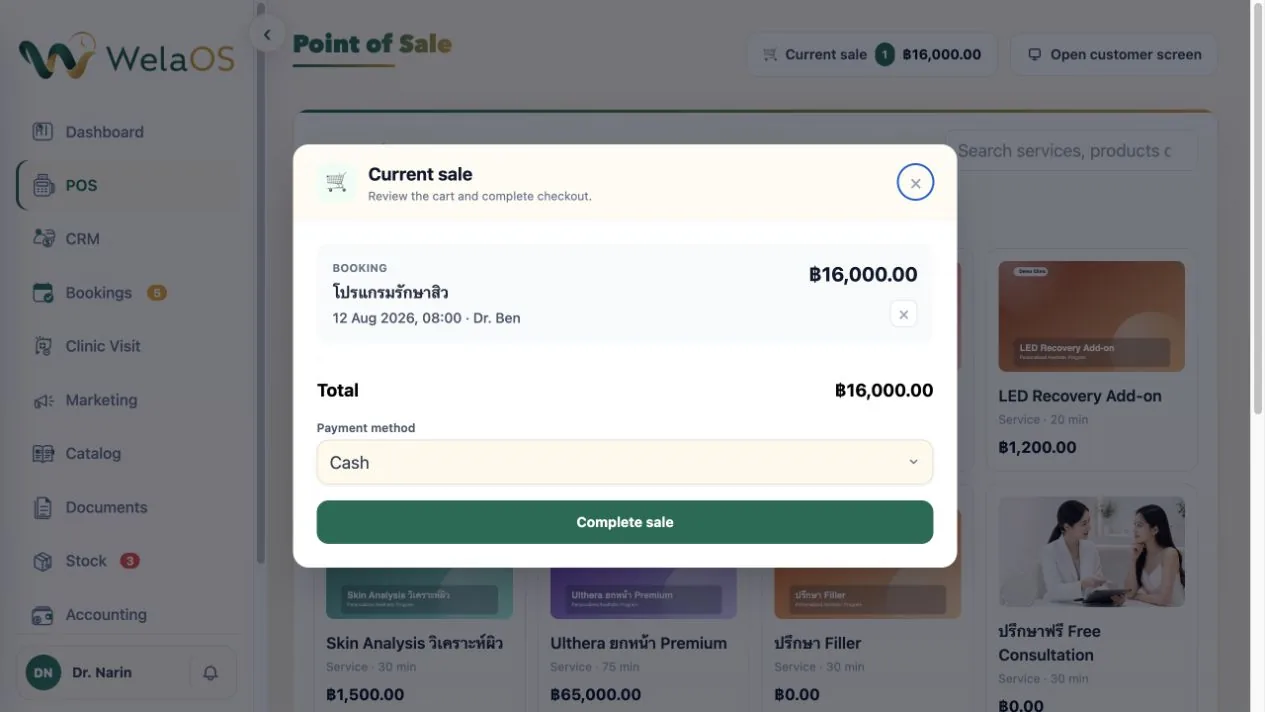
When the team is ready to collect payment, the aesthetic Clinic Visit workspace offers Checkout in POS. It opens Point of Sale with the exact booking and customer selected. Staff review the current sale, add any other catalog service or retail item that was actually provided, choose the payment method, and complete the checkout.
7. Use AI Follow-up for a post-visit wellbeing check
The same AI Follow-up system used to chase an undecided sale can also run a short post-visit wellbeing check. If the customer reports a possible complication, WelaOS pauses AI and brings the clinic provider into the same LINE conversation.
- WelaOS
Hello Mina. How are you feeling after your recent visit? - Customer
I have noticeable swelling. Is that normal? - WelaOS
Thank you for telling us. I have paused my replies and asked Dr Mira to take over. - Customer
It started this morning. I will send a photo now. - Customer
YES, thank you.
AI starts the check, then Dr Mira reviews the visit, asks for the missing evidence, and reserves a same-day review. The customer stays in one conversation while the human provider owns the clinical response.
Aesthetic clinic booking software should preserve the boundary, not just the booking
The useful outcome is not a louder chatbot. It is one connected customer journey in which a Sales-focused assistant can present verified commercial facts, one inactivity follow-up can reopen a genuine buying decision, and the booking engine can reserve a real slot. From there, the clinic, rather than the sales AI, owns suitability, visit notes, before/after evidence, personal symptom handling, and payment.
That boundary gives each team a clearer job. Sales works from current Catalog facts. Reception can review the booking alongside the configured intake kept on the CRM contact. Providers and authorized staff manage the photo-led visit. Staff package balances keep multi-visit commitments visible. Personal concerns go to people. POS closes the exact visit. The conversation may begin with “How much?”, but the operating record can continue all the way to a controlled checkout.